CEN-00128Central Shop · Downtown
Received- Customer
- Rosa Peña
- Item
- Honda CB125F · RedMOTO-00041
- Reported problem
- Weak brakes
- Record
- Technician
- Luis Herrera
Every order in view, from drop-off to payment. Your customer approves the quote from their phone, your tech marks progress and commissions add up on their own.
Free forever · No card · No contract
Your trade
Fig. 01The order, end to end
01Intake
Customer, item and the problem they report. Every item keeps its own record and order history, so the next time it comes back you already know it. The intake order prints on a receipt roll or on letter paper.
02Quote
You add services and parts, and the order moves to Awaiting approval on its own. Your customer gets a link, sees every line with its price and approves or declines each one, with nothing to install and no account to create. Their answer stays on the order, with date and time.
Quote approval
Order #CEN-00128
Total pendingUS$24
Approve the quoteQuote approved
Done, you approved the quote
Central Shop can start now. They will let you know when it is ready.
Total approvedUS$24
03Work
Each technician has their own work queue and marks progress. When they mark Repaired, your customer gets the notice that their order is ready for pickup.
By email on every plan. By automatic WhatsApp from Starter; on Free, Arregio writes the message and you send it with one tap.
Hi Rosa, your order CEN-00128 is ready for pickup. See you soon!
Luis Herrera · technician
04Payment and handover
You record the payment, in full or in installments, and hand the item over. Luis's commission goes into his period on its own; at closing you download it as PDF or Excel.
An order does not move to Delivered with a balance due, unless you allow it.
CollectedUS$24
Fig. 02Meanwhile, you
What came in today, what is awaiting approval, what each technician is working on, what is ready and how much was collected. You see it from your phone or computer, without asking anyone.
Fig. 03Without anyone having to remember
| Technician | Services collected | % | Commission |
|---|---|---|---|
| Luis Herrera | US$1,240 | 30 % | US$372 |
| Ana Rosario | US$980 | 30 % | US$294 |
| Pedro Santos | US$1,515 | 25 % | US$378.75 |
| Period total | US$1,044.75 | ||
You set a percentage per technician. When an order is paid, Arregio adds their share to the period. At closing you download it as PDF or Excel.
Hi Miguel, we have received your order CEN-00131. We will keep you posted on its progress.
Hi Miguel, we need your approval to continue with order CEN-00131. Review and approve here: app.arregio.com/aprobacion/…
Hi Miguel, your order CEN-00131 is ready for pickup. See you soon!
When you take in the item, when there is a quote to approve and when it is ready. By email on every plan; by automatic WhatsApp from Starter.
Rate your experienceExcellent
When you mark Delivered, your customer gets an email to rate the service. Ratings show up in your reports, next to sales, cancellations and technicians.
Parts listThese eight come with every plan
Stock, low-stock alerts and price history. If you track inventory, stock goes down on its own when the part is approved.
Installments, the payment methods you define and discounts capped by role.
Appointments on a calendar and a page where your customer books through a link.
Intake order on an 80 mm receipt or letter paper, quote as PDF and payment receipt.
Your orders as a list, as cards or on a board. Each technician with their own queue.
Customers, services and parts come in from Excel, and we help you load your information.
If you turn it on: pickup and delivery with zones, a driver and a link for your customer to follow the trip.
It opens in the browser on your phone, tablet or computer, in light or dark mode.
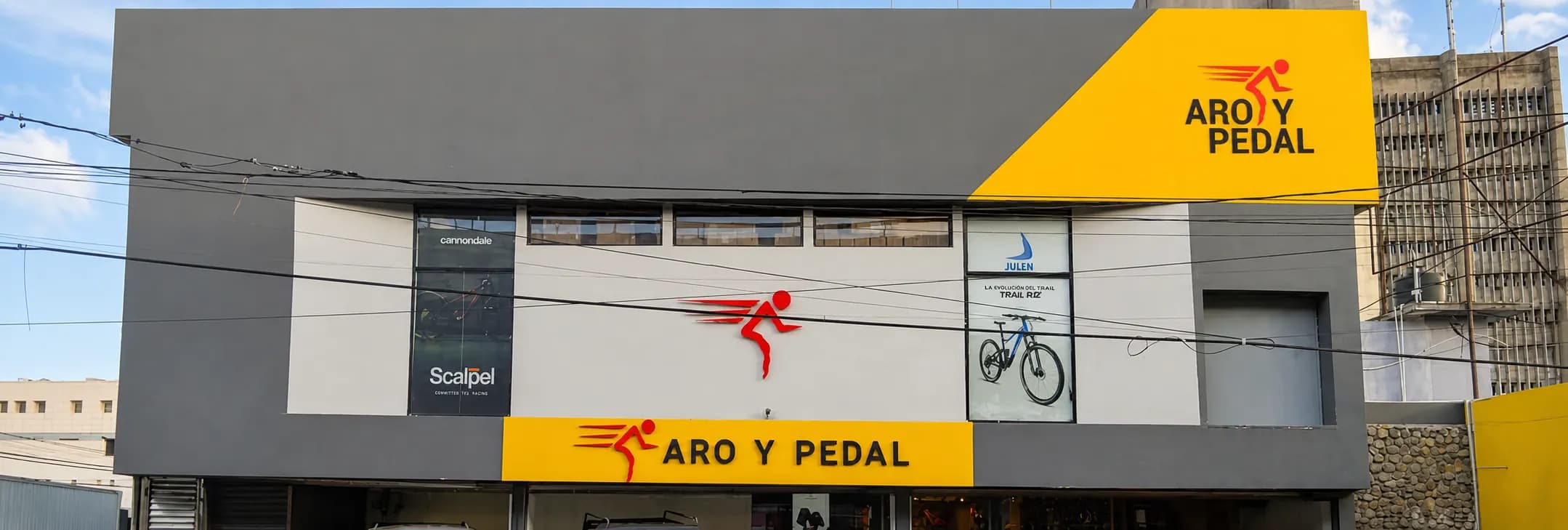 Aro y Pedal· Santo Domingo · Customer since April 2026
This is how Aro y Pedal runs it

Aro y Pedal sells and repairs bikes in Santo Domingo, across two stores, and keeping it all by hand couldn't keep up anymore. Today its three techs enter orders right there, customers get their update without anyone calling, and the commission payroll arrives already done. Both stores are seen from a single screen.
Fig. 0425 specialties, one system
Almost all of them come with their own item record and suggested services to get started. Pick yours: the whole page changes with it.
Fig. 05On video
Fig. 06Free forever · No card · No contract
US$0forever
Orders, customers, parts and commissions, with no card.
US$19per month
For the shop that outgrew 25 orders a month and wants automatic WhatsApp.
For the shop with a team
US$49per month
Several technicians and up to 3 locations. Adding people does not raise the bill.
US$99per month
Unlimited locations, with no charge for each one.
Free never expires and asks for no card. For the first 14 days you try Pro; when they end, your account moves to Free on its own and you lose no data, orders or customers. See the full comparison
Fig. 07Frequently asked questions
Arregio is a system for repair shops that runs in the browser. It carries every order from intake to payment: customers, items, parts, a quote the customer approves from their phone, notices and technician commissions. It works for 25 specialties and has a free plan that never expires.
Yes. Arregio comes with 25 trades, each with its own equipment template, service catalog and vocabulary: Cellphones, Motorcycles, Bicycles, Computers, Air conditioners, Consoles, Appliances, Vehicles and 17 more. If yours is not on the list, you start on the generic template and tune it to your shop.
Yes. The Free plan never expires and needs no card: 25 orders a month, 2 users and 1 location. The first 14 days you try Pro. Paid plans (US$19, US$49 and US$99 a month) add volume, automatic updates and locations.
Plans are billed in US dollars (US$) in every country. Your orders and quotes use your shop's currency.
No. It opens in the browser on your phone, tablet or computer. Your customer does not download anything to approve the quote either.
Yes. They get a link, see each line with its price and approve or reject each one. The answer stays on the order.
Yes. You set a percentage per technician and Arregio adds it to the period when the order is paid. You get it as PDF or Excel.
Yes. On the free plan, Arregio writes the message and you send it with one tap from your WhatsApp; from Starter on it goes out by itself.
Yes, from the Pro plan (up to 3 locations) and with no cap on Business.
No. Arregio handles the order, the quote and the payment; you keep issuing the invoice with your usual system.
Yes. Customers, parts and services come in from Excel, and we help you load your information. You add your people with their role: admin, manager, advisor or technician. Technicians never see store order prices, and you decide whether they see their own commissions.
Data encrypted and backed up daily
Fig. 08Your shop, in order.
Open Arregio with your own shop: create an order, add your team and decide with your numbers.
Start freeFree forever · No card · No contract
Free forever · No card
Start freeWe use necessary cookies to make the website work. With your permission, we also use PostHog, Google Analytics, Microsoft Clarity and the Meta pixel to see how the website is used and whether our ads work. None of that loads unless you accept. Privacy policy
Choose what you let us use. You can change it anytime from «Cookies», at the bottom of the page.
They keep you signed in and remember your preferences, such as language. Without them you can't sign in.
PostHog, Google Analytics and Microsoft Clarity tell us how the website is used. We also store which link or ad brought you here, for 90 days.
The Meta pixel tells us whether our ads work. If you create an account, we let Meta know with your email turned into a code that cannot be reversed.